Typeset: Building a simple wizard
Typeset: Building a simple wizard
Typeset
Building a simple wizard which migrated 100,000+ research articles in 6 months from MS Word to Typeset
Product design
What is Typeset?
Typeset is a simple online word processor built to empower researchers in writing and formatting their research papers.
To achieve this, Typeset has a built a simple, intuitive editor on the back of a sophisticated set of micro-services and products. Typeset has rebranded itself as Scispace now and works with several renowned universities and researchers in publishing and hosting their research.
Typeset is a simple online word processor built to empower researchers in writing and formatting their research papers.
To achieve this, Typeset has a built a simple, intuitive editor on the back of a sophisticated set of micro-services and products. Typeset has rebranded itself as Scispace now and works with several renowned universities and researchers in publishing and hosting their research.
Why Typeset needed to build this wizard?
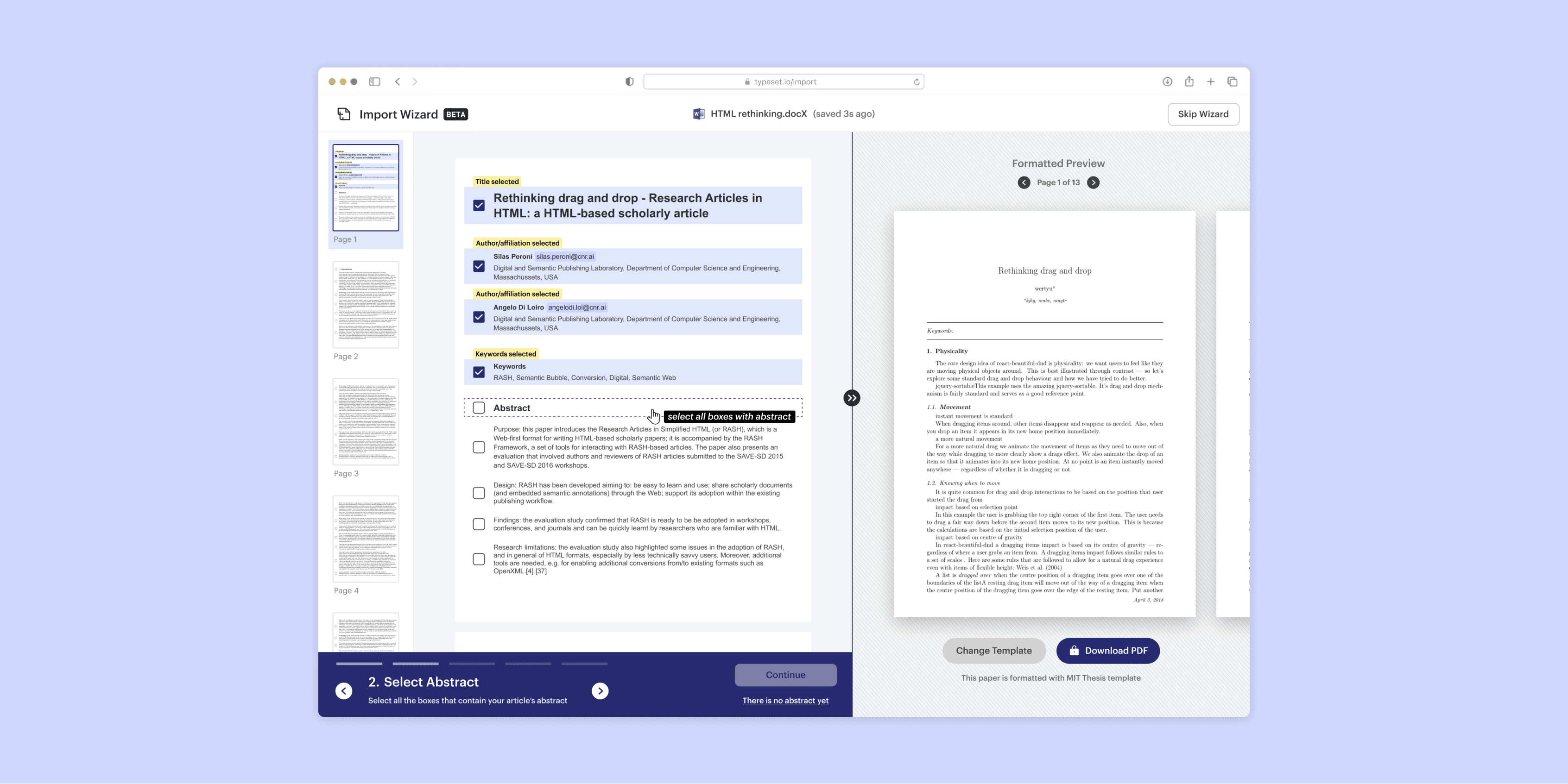
As part of our user research (gathered through user interviews, Full Story and analytics data), we learned that most (40%+) of our users were more comfortable with importing (copying) their articles from a DocX file than starting over on a blank plate on the Typeset editor. This process was tiresome as each section had to be copied manually and some times, manually format a few sections. As a result of this, we saw a major chunk of frustrated users moving away from our us.
As part of our user research (gathered through user interviews, Full Story and analytics data), we learned that most (40%+) of our users were more comfortable with importing (copying) their articles from a DocX file than starting over on a blank plate on the Typeset editor. This process was tiresome as each section had to be copied manually and some times, manually format a few sections. As a result of this, we saw a major chunk of frustrated users moving away from our us.

Solution
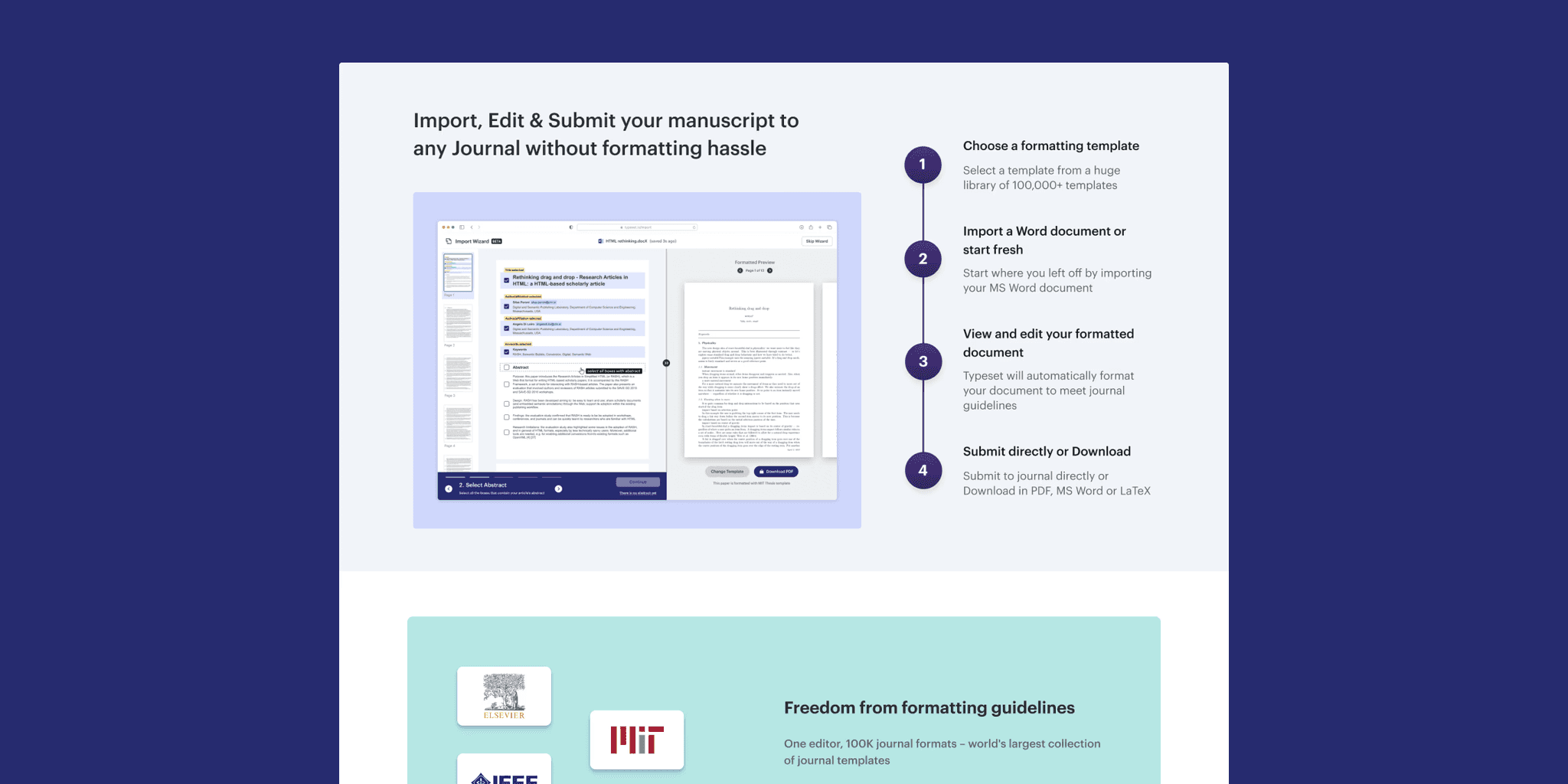
We began exploring ways to solve this challenge under the project codename Nishabd. The first thing we understood is that we couldn’t have a fully automated process that converts a Word file into a Typeset document. Any automated system of conversion would get us to ~80% quality and then either we or the users themselves would have to verify and fix the document.
This led us to experiment with pipeline/s that converts an uploaded document with few interventions from users.
The goal is to stitch both the primary and the corrective pipelines, after they have delivered their outputs, as seen in the above image. Then, we let the users verify a few sections in the document which would then enable us to deliver with ~100% conversion.
The penultimate part of this process requires a wizard to be designed and engineered which would allow the user to quickly verify a few sections in the document.
We began exploring ways to solve this challenge under the project codename Nishabd. The first thing we understood is that we couldn’t have a fully automated process that converts a Word file into a Typeset document. Any automated system of conversion would get us to ~80% quality and then either we or the users themselves would have to verify and fix the document.
This led us to experiment with pipeline/s that converts an uploaded document with few interventions from users.
The goal is to stitch both the primary and the corrective pipelines, after they have delivered their outputs, as seen in the above image. Then, we let the users verify a few sections in the document which would then enable us to deliver with ~100% conversion.
The penultimate part of this process requires a wizard to be designed and engineered which would allow the user to quickly verify a few sections in the document.
Product FLOW
Upload docx through the formats page
2. article authors and references are extracted using pipeline
3. USER tags relevant metadata using the import wizard questions
4. THE document preview is shown to the user after combining all pipelines
5. THE user goes to the editor with a ~100% quality document
Impact
Within the first fortnight of deployment, over 3,000+ articles were imported with a decent success rate (>70%) with the wizard's help. The number grew to over 100,000+ articles in six months after a few engineering, product and UX fixes.
Within the first fortnight of deployment, over 3,000+ articles were imported with a decent success rate (>70%) with the wizard's help. The number grew to over 100,000+ articles in six months after a few engineering, product and UX fixes.
Takeaway
Since the UX solution accomplished the goal of the project, it is largely a success. However, due to time constraints, and perhaps a lack of experience in the domain, we haven't iterated a lot on the design solutions. The UI could have been a lot more polished and thought-out which hampered the initial velocity of the feature.
Since the UX solution accomplished the goal of the project, it is largely a success. However, due to time constraints, and perhaps a lack of experience in the domain, we haven't iterated a lot on the design solutions. The UI could have been a lot more polished and thought-out which hampered the initial velocity of the feature.
Credits
role
Product design
Illustration design
Tools
Sketch
Adobe Illustrator
team
Product
Tanmay Kasliwal
Saikiran Chandha
Design
Dilip Merugu
Engineering
Dipanjan
Rama Chandu
Explore next


Lights on·off